
Find any set fast
Search by customer, tire size, RO, make, status, or storage location without digging through spreadsheets.
Seasonal storage, under control
ATS keeps check-ins, QR labels, storage locations, pick lists, and activity history in one practical system your staff can use from the front desk or the tire room.
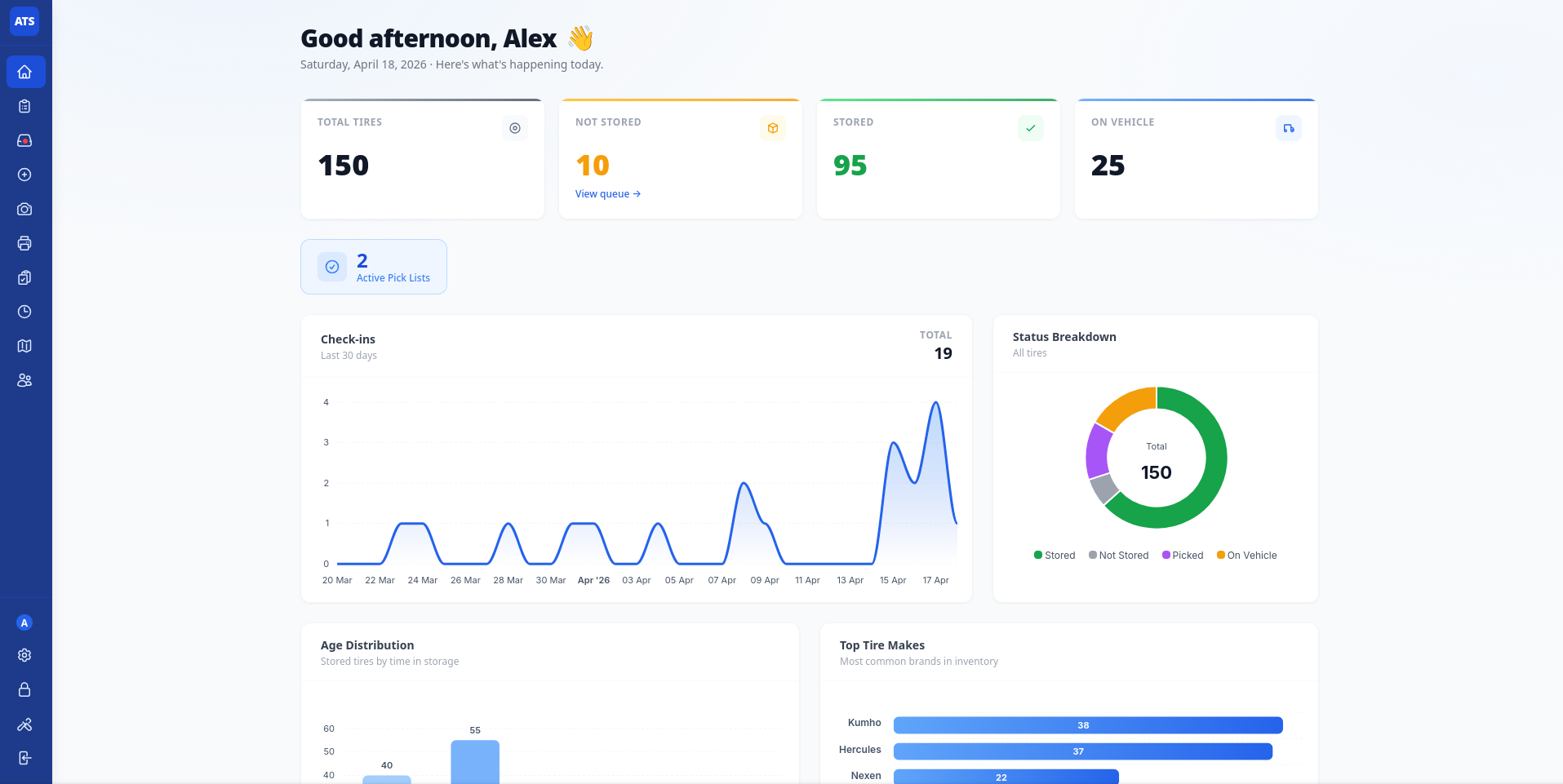
Today
Pick list ready
Workers know what to pull before the customer arrives.
What it replaces
Tire season gets messy when each step lives in a different place. ATS keeps the flow connected from drop-off to pick-up.
Search by customer, tire size, RO, make, status, or storage location without digging through spreadsheets.
QR labels open the correct tire record so staff can scan, store, pick, and update without guesswork.
Dashboards, activity logs, and pick lists make it clear what is stored, overdue, scheduled, and done.
Shop workflow
The system is built around the way tire rooms actually work: receive, label, store, schedule, pick, and hand back.
Staff enter customer and tire details, then print a QR label before the set leaves the desk.
A worker scans the label, assigns a location, and the tire status updates immediately.
Scheduled lists group the day by work to pull, with links back to the full tire record.
Managers can check activity history, overdue sets, user actions, and export data when needed.
Real product screens
The interface stays direct: big enough for shop devices, dense enough for managers, simple enough for seasonal staff.
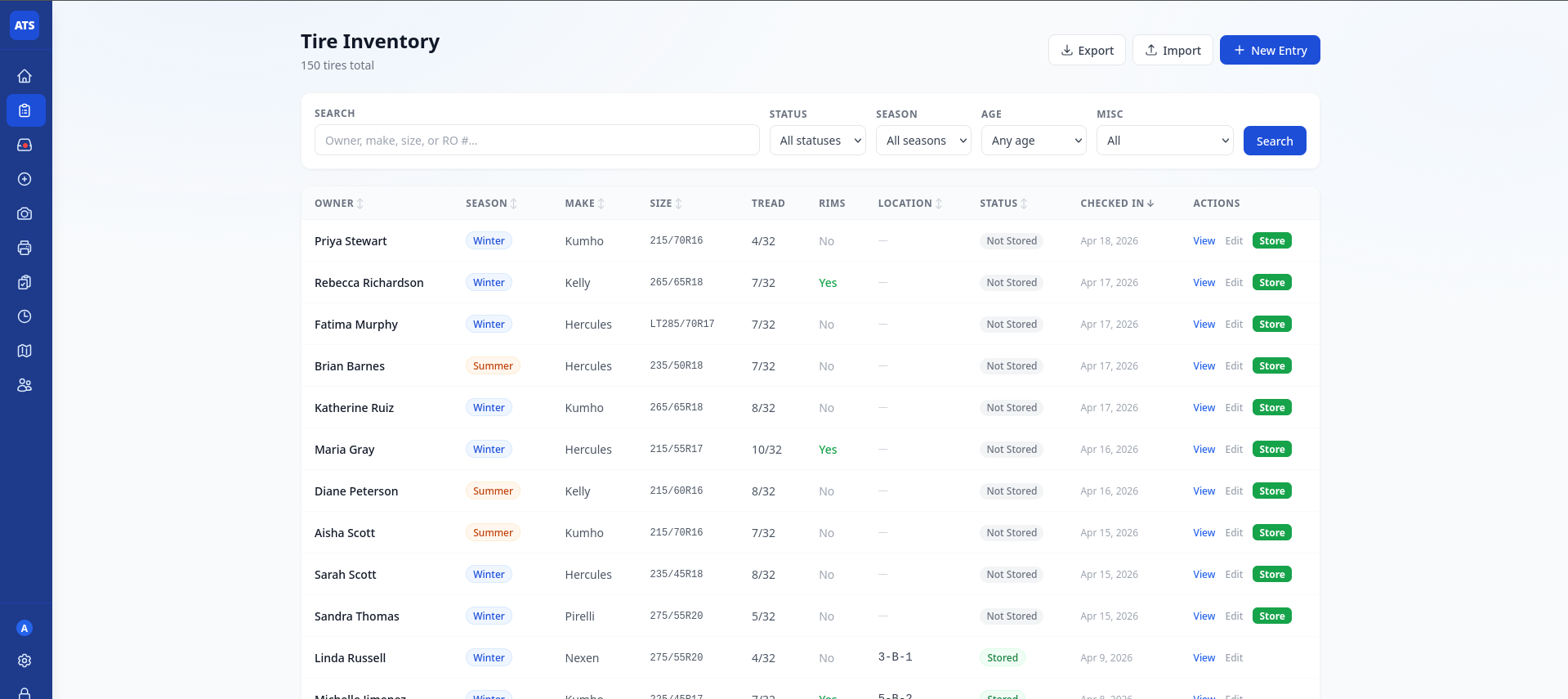
Filter down to the set you need without losing context.
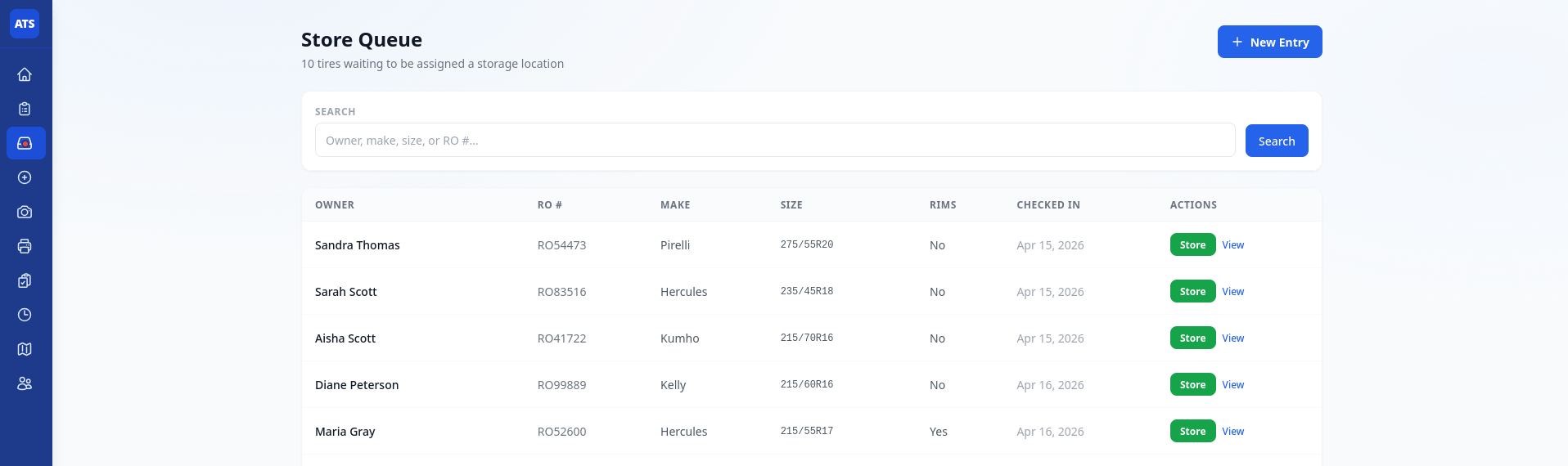
The next tire to store or pick is obvious from the first glance.
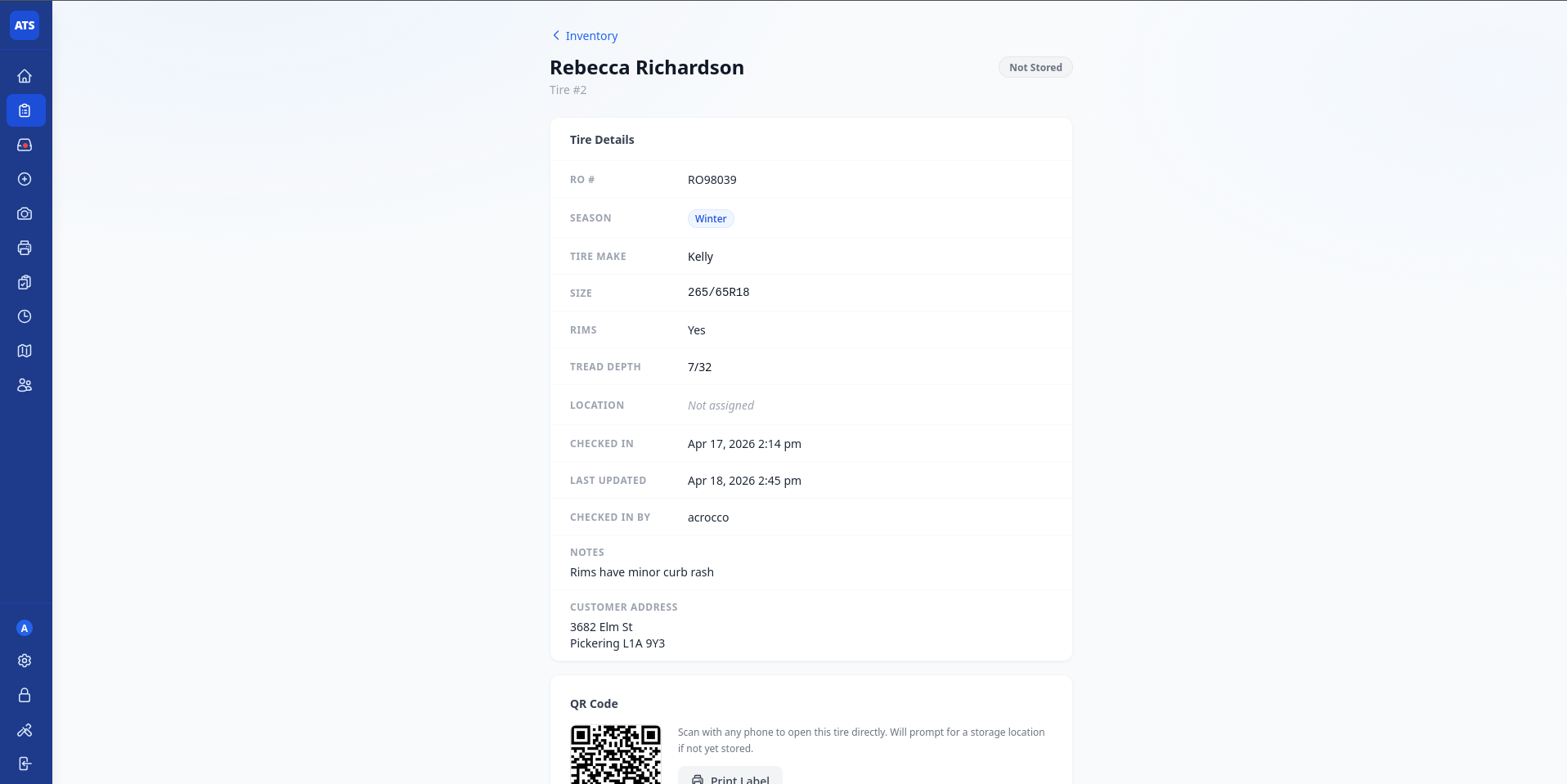
Ownership, service details, label actions, and storage history live together.
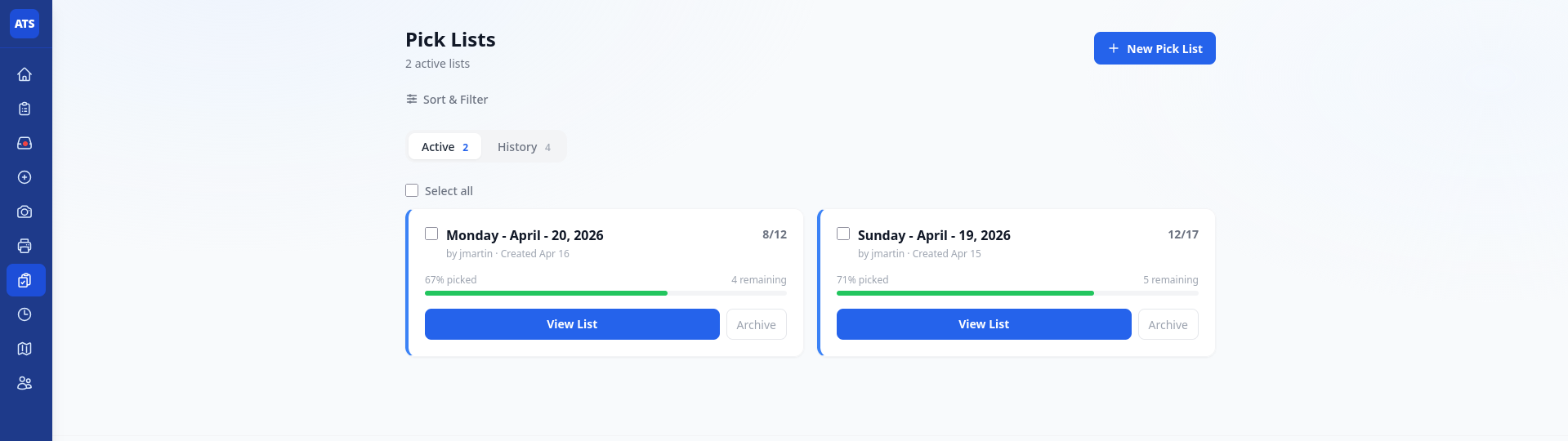
Scheduled pulls stay visible, trackable, and easy to complete.
Access control
Front desk, tire room, managers, and owners can work in the same system without sharing every permission.
Fast check-ins, customer lookup, labels, and pickup status.
Mobile-friendly queues, scanning, storage location updates, and pick lists.
Dashboard, reporting, activity history, overdue review, and imports.
User access, backups, exports, settings, and controlled admin tools.
Questions
Yes. Import your existing spreadsheet, map the columns, and keep exporting as CSV whenever you need reporting outside the app.
Yes. ATS is web-based and mobile-friendly, so tire room staff can scan and update from a phone without installing a separate app.
Most shops can get the core setup done quickly: dealership config, users, roles, label settings, and optional import.
Yes. Each dealership uses its own configuration and database connection, keeping data separated by store.
Dev controls can disable a dealership, block new valid logins, and redirect active non-dev sessions to a custom message page.
Get started
Send a note and we will follow up with a practical walkthrough: labels, importing, roles, and the day-to-day tire workflow.
contact@colvextech.com
Replies within 1-2 business days
Ontario, Canada